How does the calendar work?
The calendar lets you view your entries by date and quickly move through your journal. The calendar view complements the normal entry overview; it does not replace it.
Open the calendar
Open the calendar using the separate Calendar menu item. The calendar view displays the months. Days with existing entries are highlighted.
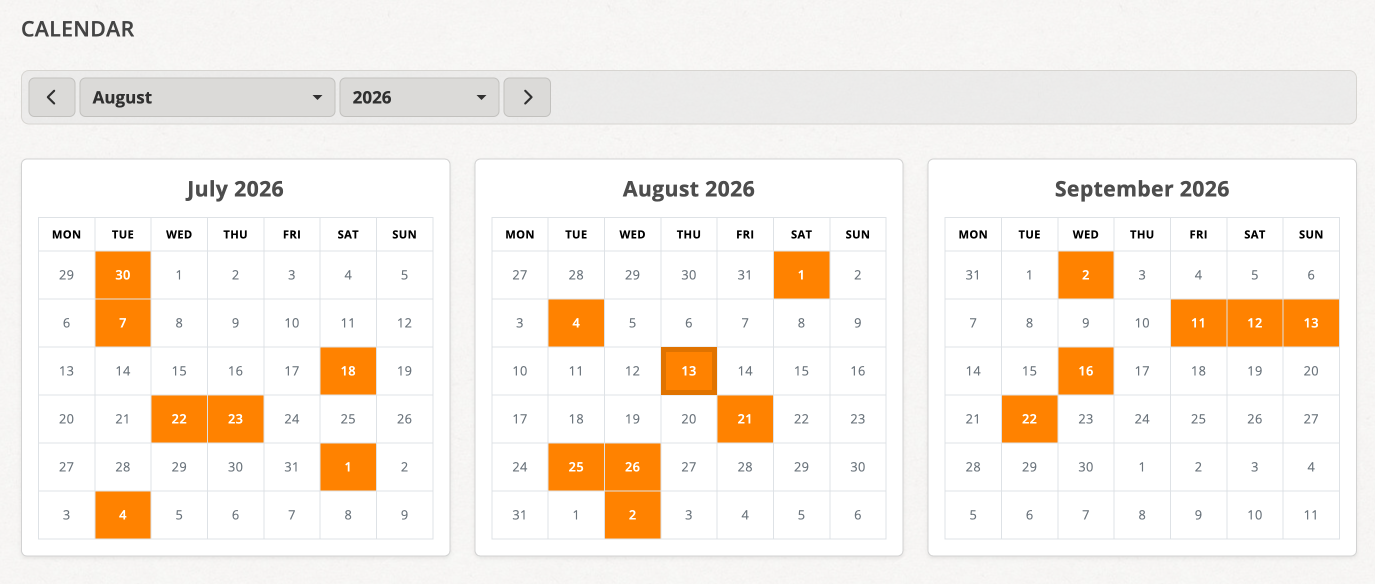
View a day's entries
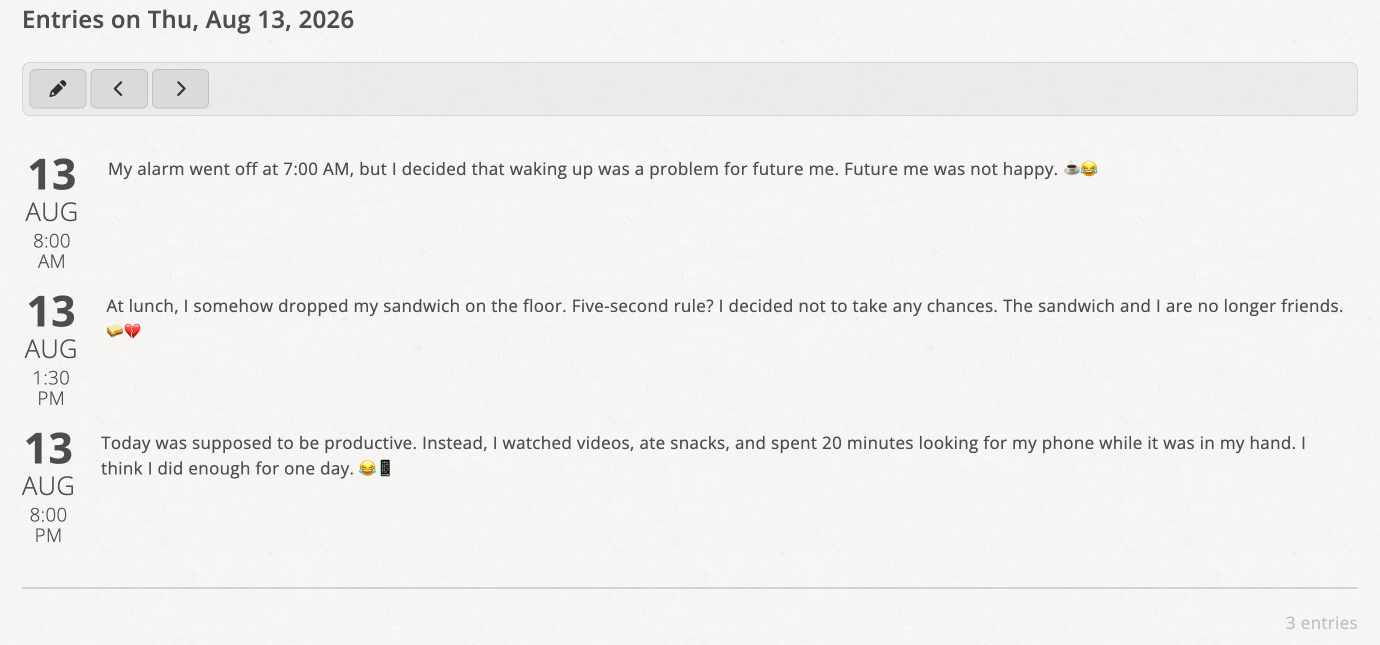
Click a day to select it. Clicking a day does not immediately open a single entry. Instead, all entries for the selected day are listed below the month view.
You can also select a day without any entries. In that case, no entries are displayed below the calendar.
Navigate the calendar
Use the buttons for the previous and next month to move through the month view. Alternatively, select a month and year directly. You can also select years further in the past.
There is also navigation to the previous or next day that actually has entries. This lets you move directly between days with content without opening every day in between.
Create a new entry from the calendar
First select the desired day. You can then use the calendar to create a new entry directly for that selected day.
Open an entry and return to the calendar
When you open an entry from the list for the selected day, you can return to the calendar afterwards. The previously selected date is retained, so you can continue from the same place.
When is the calendar particularly useful?
The calendar is especially useful when you remember a specific date, want to view the entries for one day together, or want to move quickly to the next or previous day with entries. For a complete overview of all entries, continue to use the normal entry overview.