List tags
In the tag management you can see all existing tags at a glance. This way you can quickly check and maintain your tag structure.
Go to tag list
Open the tag list using the Tags item in the global menu at the top of the page. On larger screens, the menu is displayed horizontally; on mobile devices, it appears as a burger menu.
Tag list
The tag list shows all tags together with their usage frequency. This way you can see which tags are used often and which are rarely used.
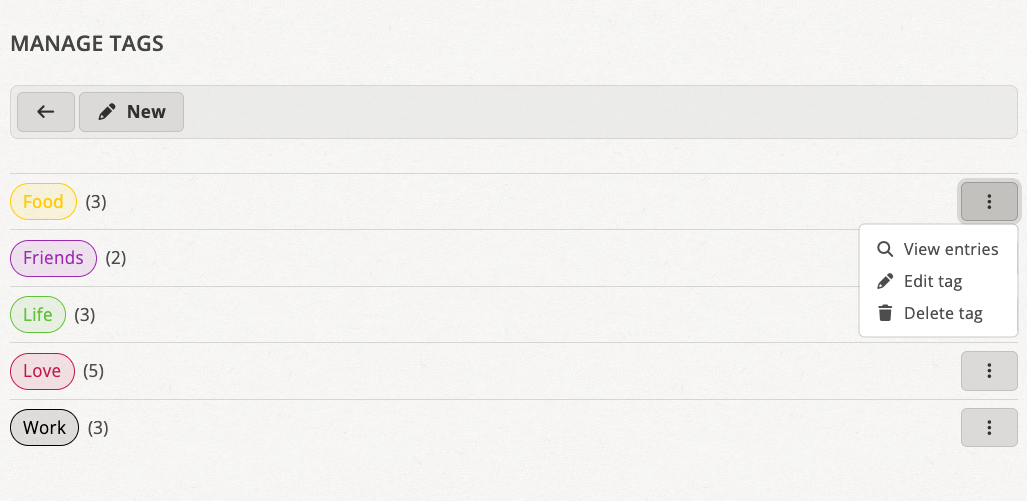
Use a tag's context menu to view entries, edit the tag, or delete it
Open a tag's context menu using the button with three dots next to it. From there, you can view the associated entries or edit or delete the tag.
Create a new tag
Use the New button in the toolbar to create a tag. See Create tag for instructions.