Add existing tag to an entry
You can easily link an entry to an existing tag. This means you can continue to use existing structures instead of creating new tags twice.
Select existing tag
In the entry, open the tags dialog using the Tags button in the toolbar.
Open the dropdown under “Not assigned tags” and select a tag from the list. Selected tags appear directly in the dialog and then on the entry page and in the entry overview.
Optionally, you can type a tag name in the dropdown to filter the list using typeahead search. Matching tags appear as suggestions, which you can select with the mouse or the arrow keys.
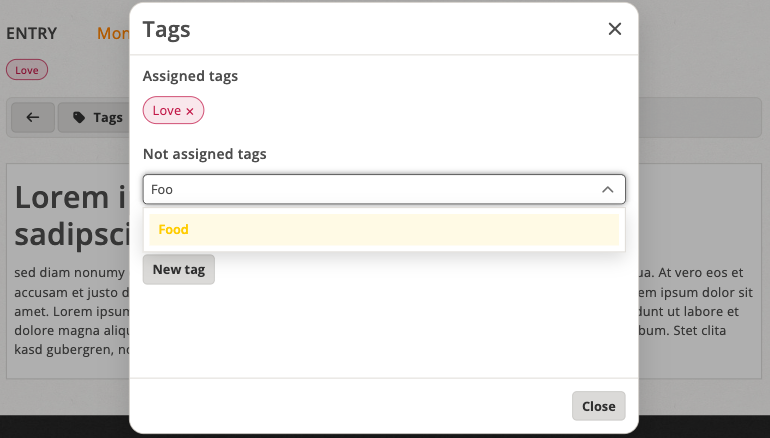
Optional typeahead search displays matching tags as suggestions